Service Desk
Enterprise.
An ITIL v3-aligned service desk to manage the IT services and needs of organizations of any size, in any industry, in conjunction with their defined business processes.
Define, monitor and review the processes followed by business units and departments in their day-to-day work. Informative reports help management understand departmental efficiency, the use of movable and immovable assets, and resource utilization across projects.
Explore IT Service ManagementIncident Management
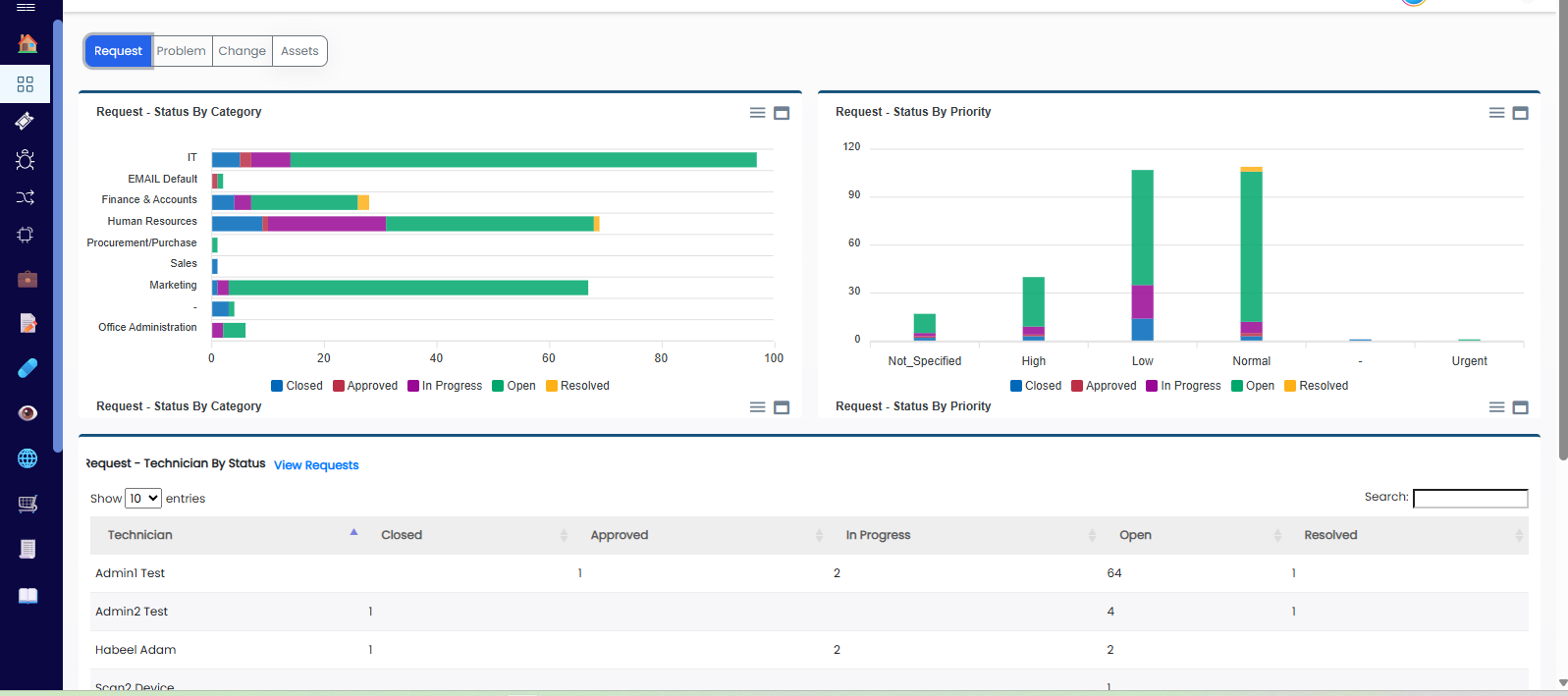
When an unusual incident occurs in the organization—for example, a mail or Exchange server outage or a firewall failure—it can be recorded as an incident ticket.
Once a ticket is created, it can be tagged as an incident. Record the root cause, business impact, symptoms, corrective measures and solution. Complete and retain the details of each stage to help prevent recurrence. If the incident occurs again, it should be handled within the defined SLA.
Incident process
- Identification
- Recording and logging
- Categorization and prioritization
- Diagnosis
- Escalation
- Resolution
- Closure
Problem Management
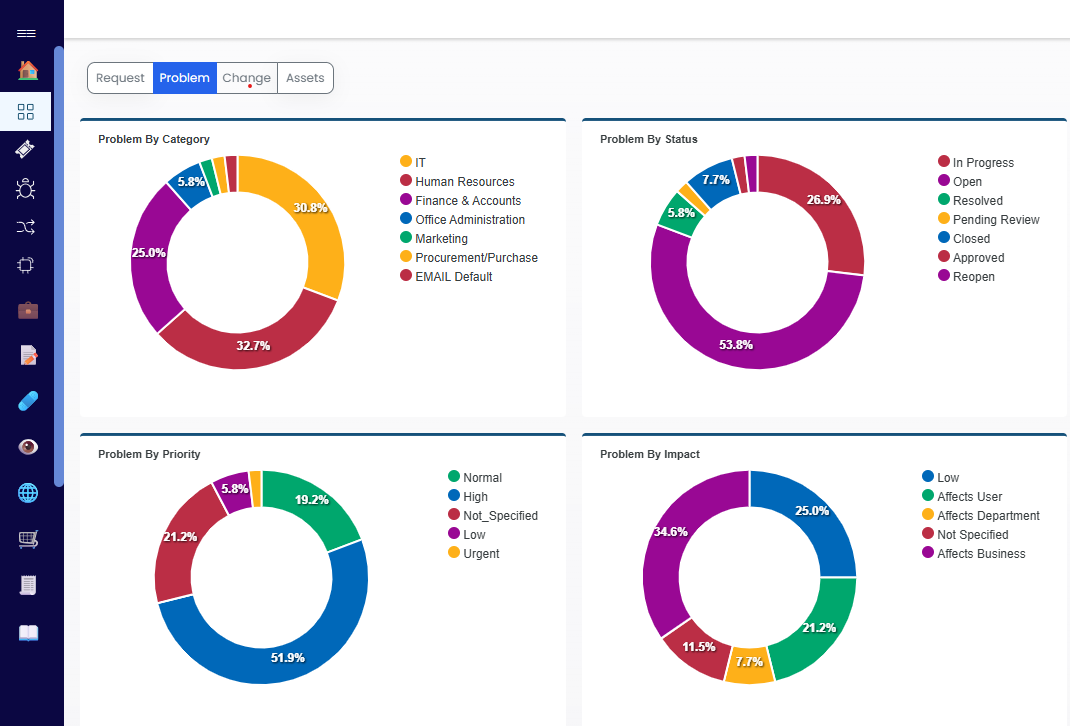
Problem Management extends Incident Management by providing workarounds and temporary fixes until the root cause of incidents is found.
Review accurate incident information to enable reactive and proactive analysis of the underlying root cause. Help IT staff move beyond firefighting by identifying problems and known errors before incidents occur.
Bizopserve Problem Management enables you to
- Identify, register and classify the problem.
- Perform investigation and diagnosis.
- Provide a workaround.
- Identify known errors.
- Resolve and close the problem.
- Report on problems.
Change Management
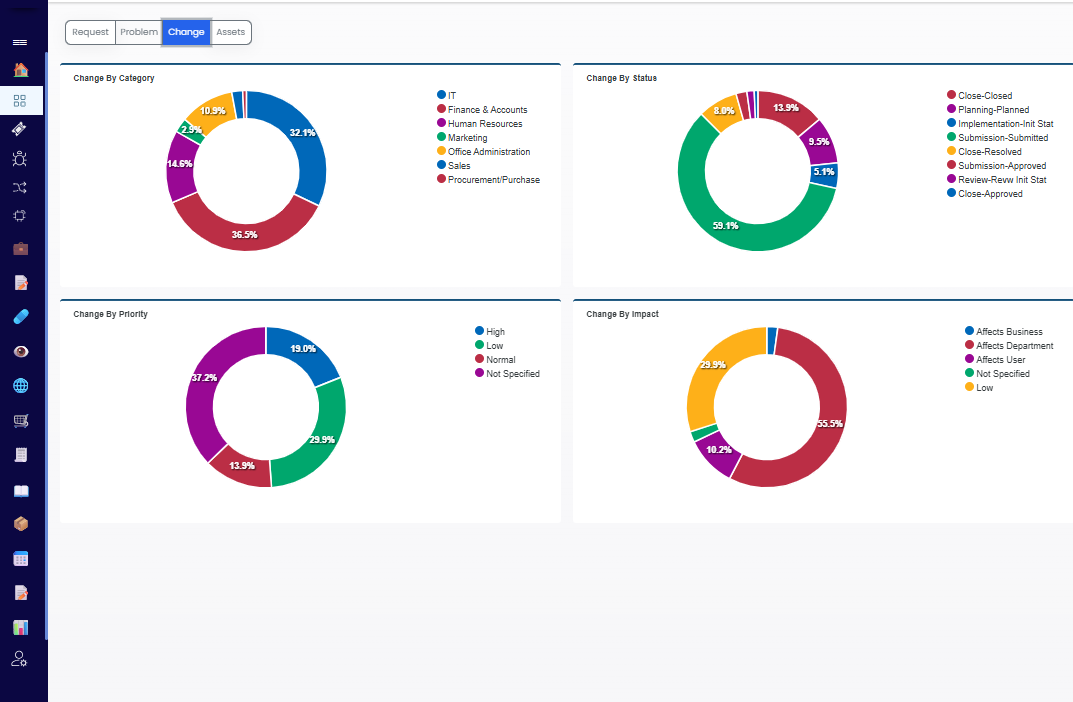
When technology changes, organizations need to manage the resulting change. Appropriate tools and best practices provide repeatable, standardized methods and procedures.
Make changes quickly and accurately to meet business needs, protect services while changes are made and minimize business risk.
A successful change should
- Create a Request for Change.
- Assess and evaluate the change.
- Obtain authorizations.
- Record Change Advisory Board (CAB) notes.
- Schedule, coordinate and implement the change.
Knowledge Management
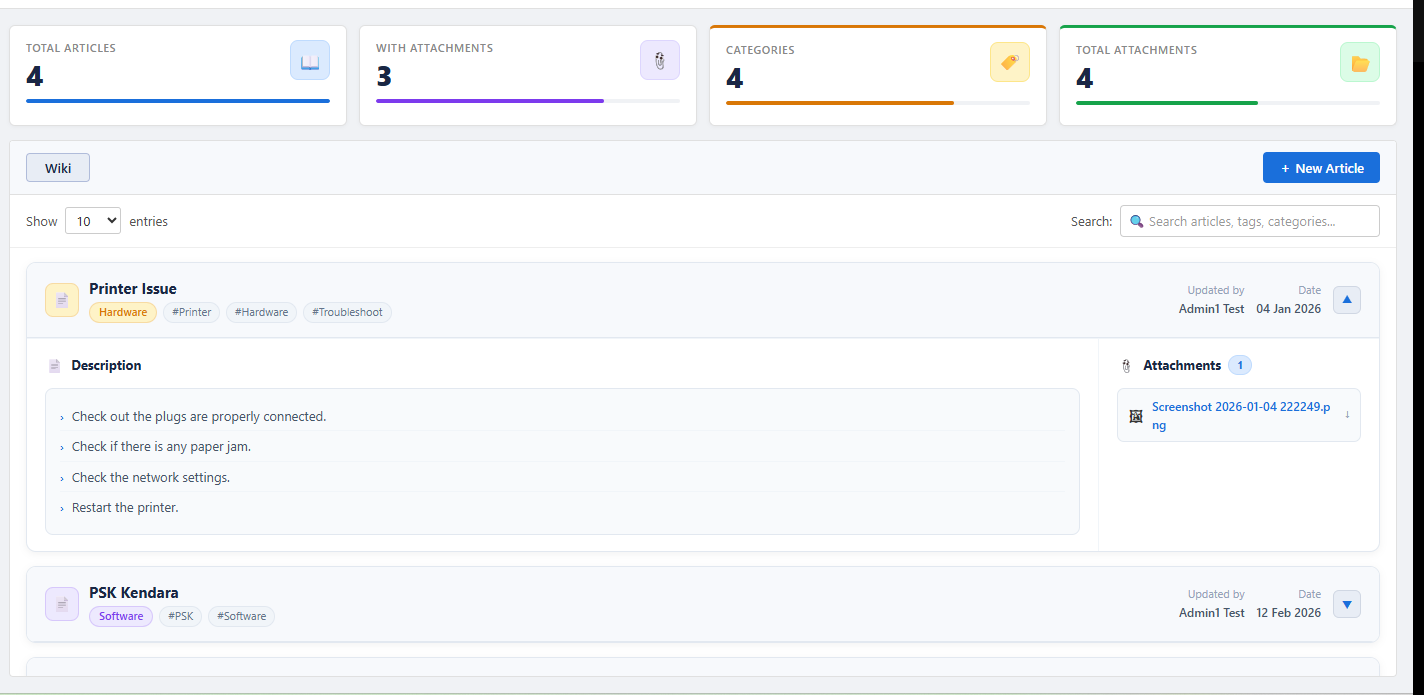
- Develop a single database to record and share information with your team. Bizopserve’s integrated modules connect data, information, knowledge and wisdom to help you understand the relationships between incidents, service requests, problems, changes, releases and the Configuration Management Database.
- Improve decision-making for management and support associates by providing accurate, reliable knowledge throughout the service lifecycle. Give IT and business service providers the information they need to perform their jobs efficiently.
- Build an enterprise-grade knowledge base and share information through your intranet or website. Reduce support effort, enhance staff productivity and reduce time spent searching shared online folders and paper documents.
- Support the knowledge management needs of small and medium-sized businesses, education providers, nonprofit associations and enterprise organizations.
Service Level Agreement
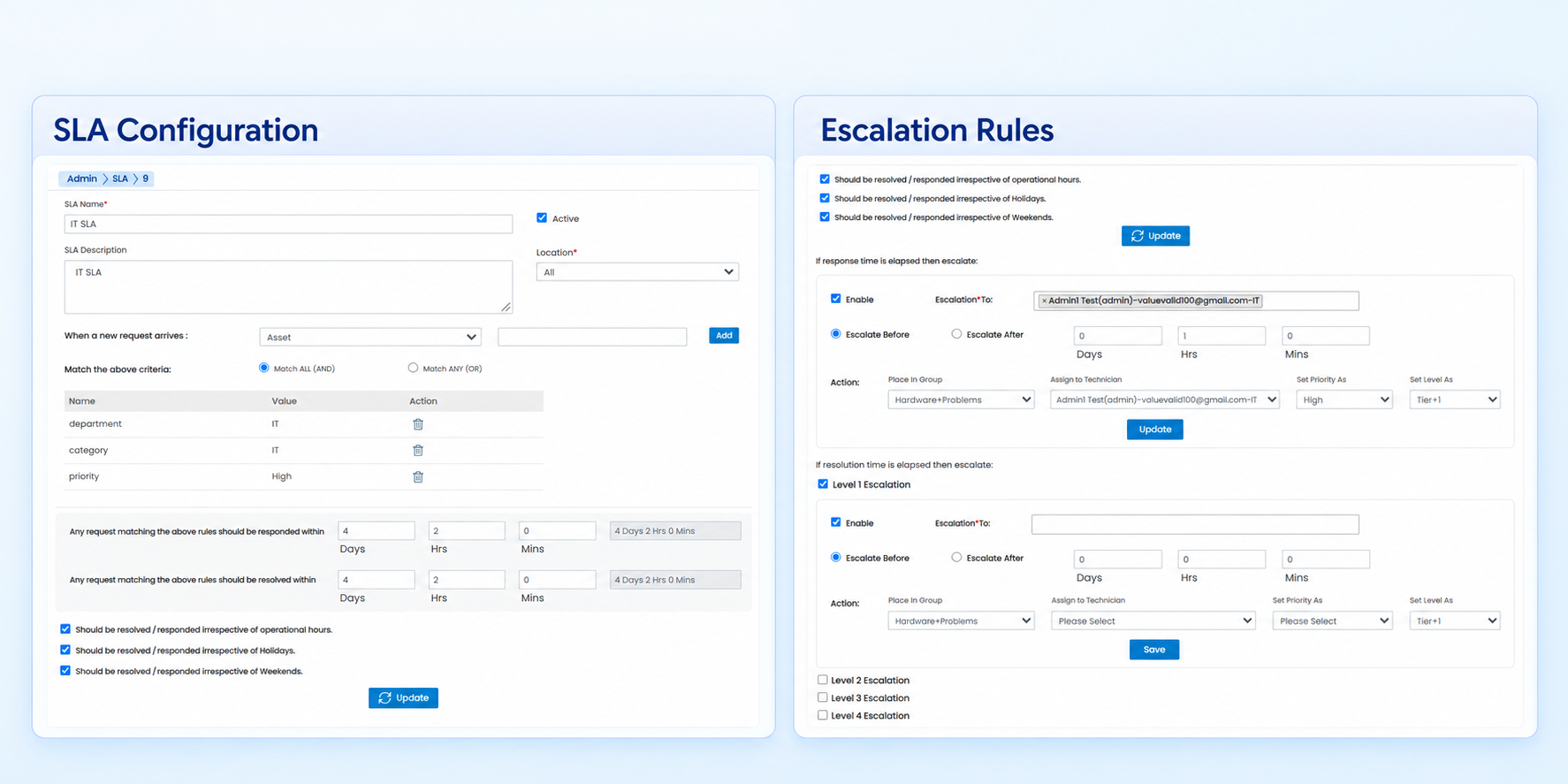
Define Service Level Agreements for different types of tasks according to their significance in each department. Measure departmental performance, identify flaws in existing processes and make the changes needed to improve performance and meet business targets.
Use service performance improvements to support customer retention and new customer acquisition.
Module features
- Create and manage SLAs for each department.
- Keep an SLA active for a defined date range.
- Deactivate an active SLA when required.
- Receive proactive alerts about impending service bottlenecks so they can be resolved before service performance is affected.
Survey Management
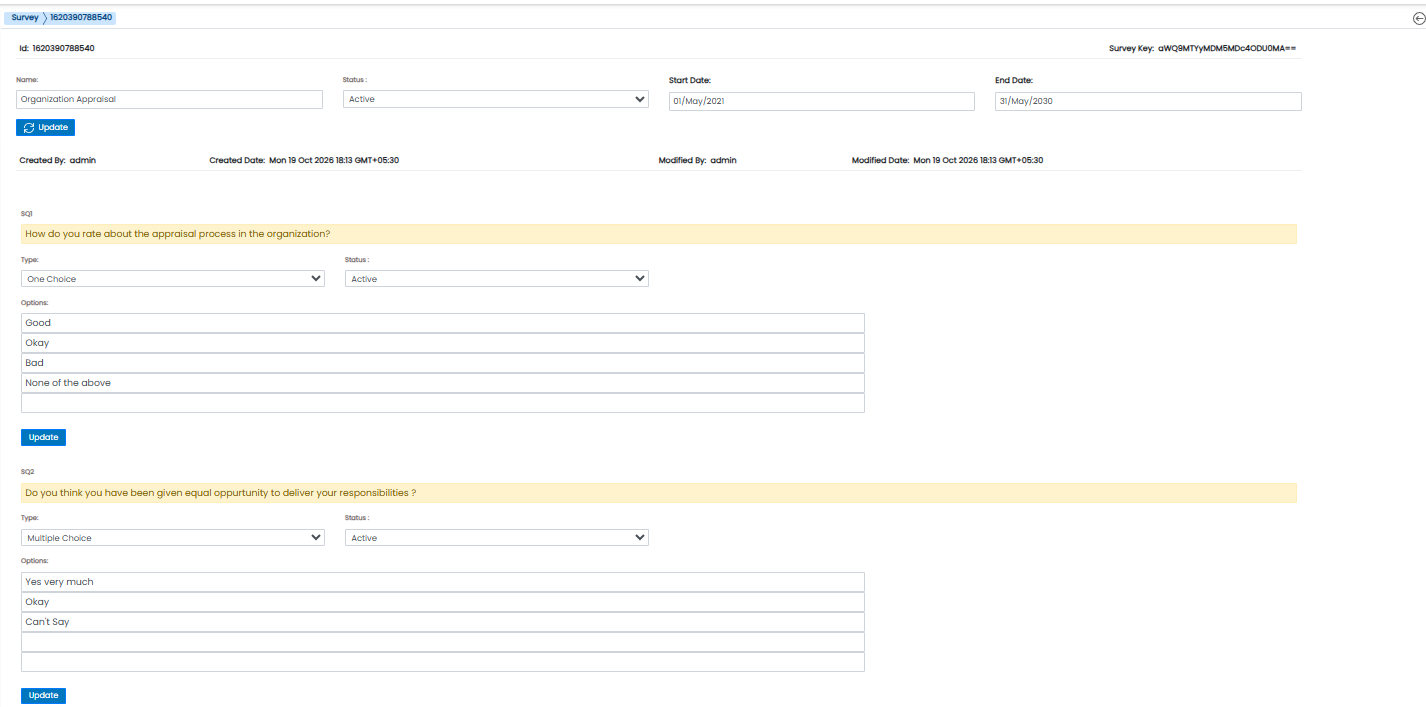
- Create different types of surveys and opinion polls with single-choice or multiple-choice answers.
- Selectively activate a survey for a defined date range.
- Send survey invitation emails to all or selected employees.
- Allow invited employees to complete survey forms through the self-service portal.
- Review detailed feedback reports, including the percentage of invited participants who completed the survey.
IT Asset Management
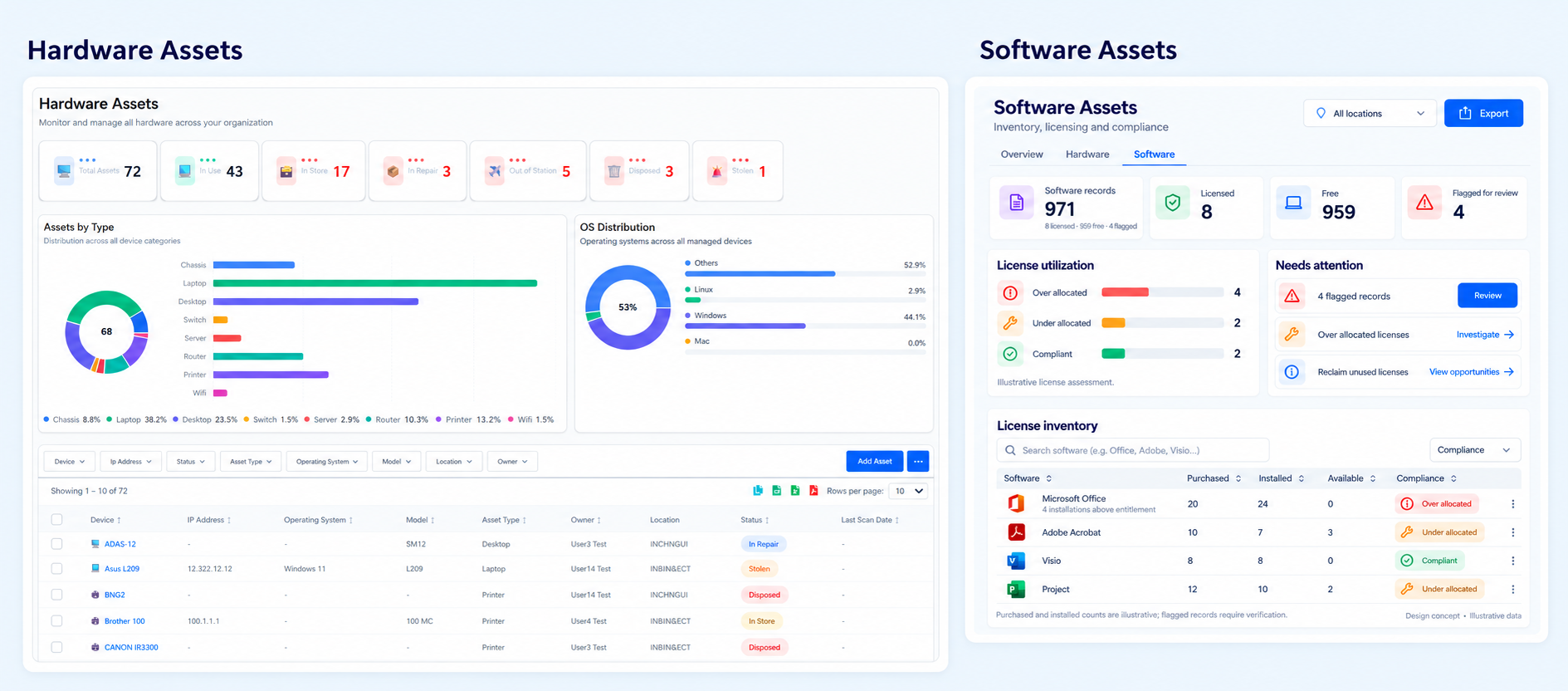
Automatically discover network assets using an agent-based or agentless model, or import asset data from a CSV file.
Hardware assets
- View all hardware details discovered over the network.
- Add and maintain new hardware items.
- View service requests associated with a hardware asset in one place.
- View contracts associated with a Configuration Item (CI). Align hardware asset management with organizational business processes and policies to help ensure effective asset use.
Software assets
- Discover software details from hardware assets on the network across different locations.
- Add and maintain new software items.
- Separate active and inactive software on each system and distinguish licensed from unlicensed software.
- Track license expiry dates and configure notification alerts to help prevent additional renewal costs.
Purchase Order Management
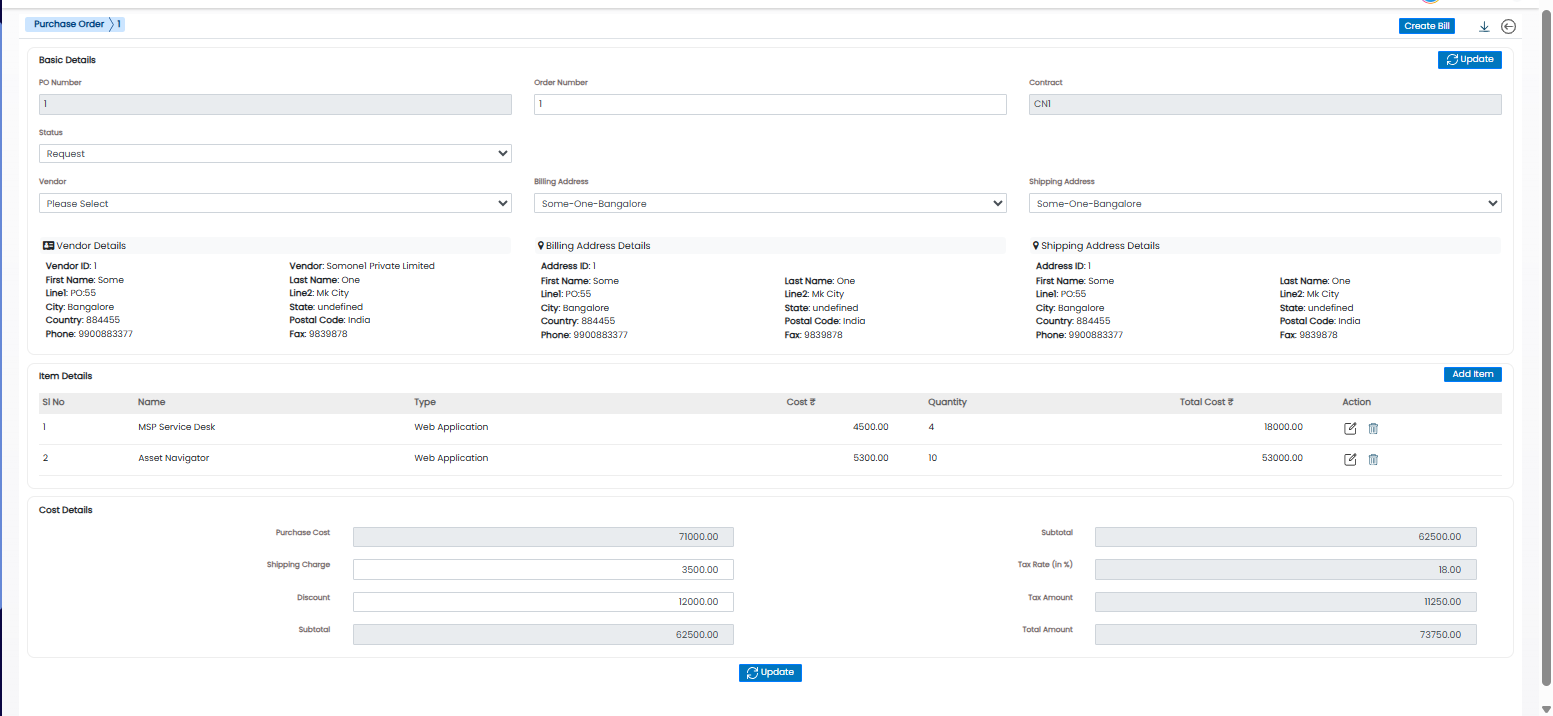
Manage organizational purchases with proper justification and agreed costs and requirements. Address purchase requirements arising from contracts and new IT expenditure by associating product vendors and suppliers.
Simplify the purchase order process
- Create purchase orders with an approval process.
- Ensure approvals are obtained before releasing a purchase order.
Your next chapter in
better operations.
Find the Bizopserve suite that fits your team.