Your IT assets.
Connected and in view.
Bizopserve ITAM is a web-based IT Asset Management application for monitoring and managing the assets in your network.
Discover and manage hardware and software, IT and non-IT assets, and physical and virtual assets. Support IT security, software compliance and a better total cost of ownership. Real-time discovery makes it easier to audit assets across domains and workgroups, on and off the network, and to audit specific software or Windows patches across selected assets or your entire estate.
Explore IT Asset ManagementHardware Asset Management
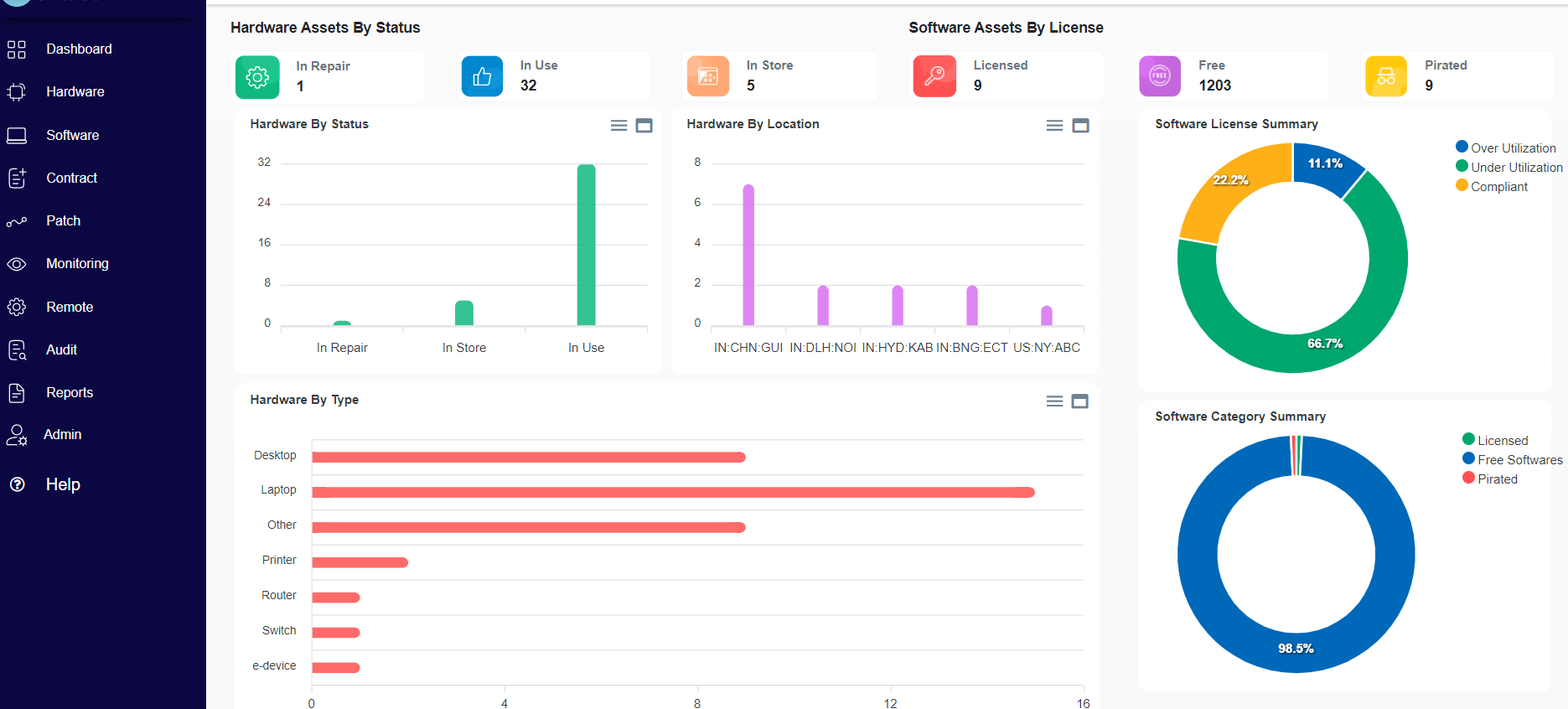
- Automatically track IT hardware and software on your network, including Configuration Item (CI) attributes such as processor information, hard disks, RAM capacity, network interface details and user accounts.
- Capture contract information, component warranties, associated documents and asset ownership.
- Maintain asset relationships and dependency mappings.
- Track assets from purchase to disposal. Generate reports on asset status and expenses to support planning for the following year’s budget.
- Track asset expenses, depreciation and total cost of ownership.
- Consolidate IT asset details across the organization in a single system using the remote scan tool.
- Manage relationships between hardware and software assets.
- Configure scans to retrieve the asset parameters you need.
Asset Auto Discovery
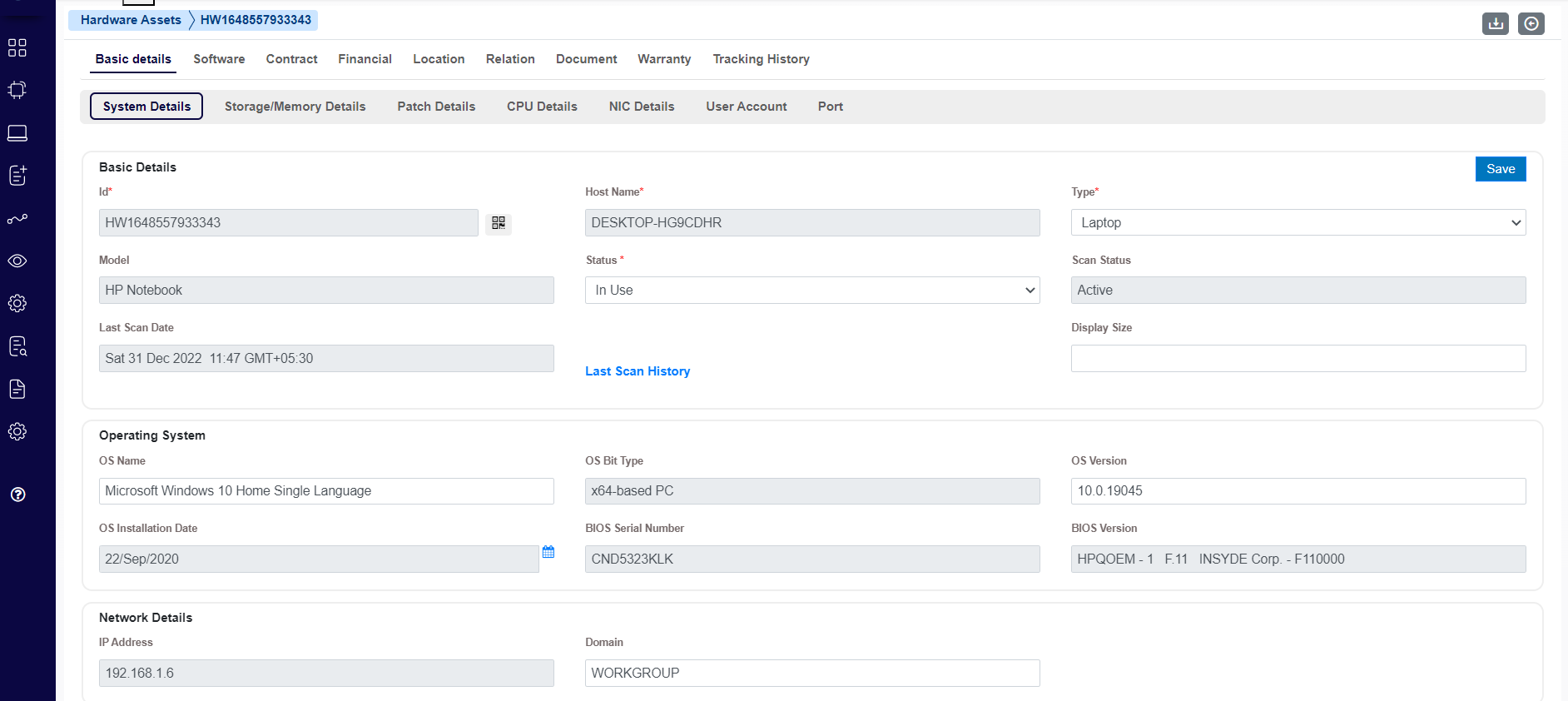
- Configure agentless discovery, agent-based discovery or a combination of both to meet your requirements.
- Discover assets using subnet ranges, lists of IP addresses or asset names.
- Configure which asset properties are scanned to balance performance and information requirements.
- Discover systems on and off the network, across domains and workgroups.
- Support different IP devices and operating systems, including Windows, Linux, AIX and UNIX.
- Make effective use of available hardware. Identify underused assets and review allocations to improve resource utilization.
- Use reports to make informed hardware purchasing decisions.
- Track inventory efficiently with reports and graphs.
Software Asset Management
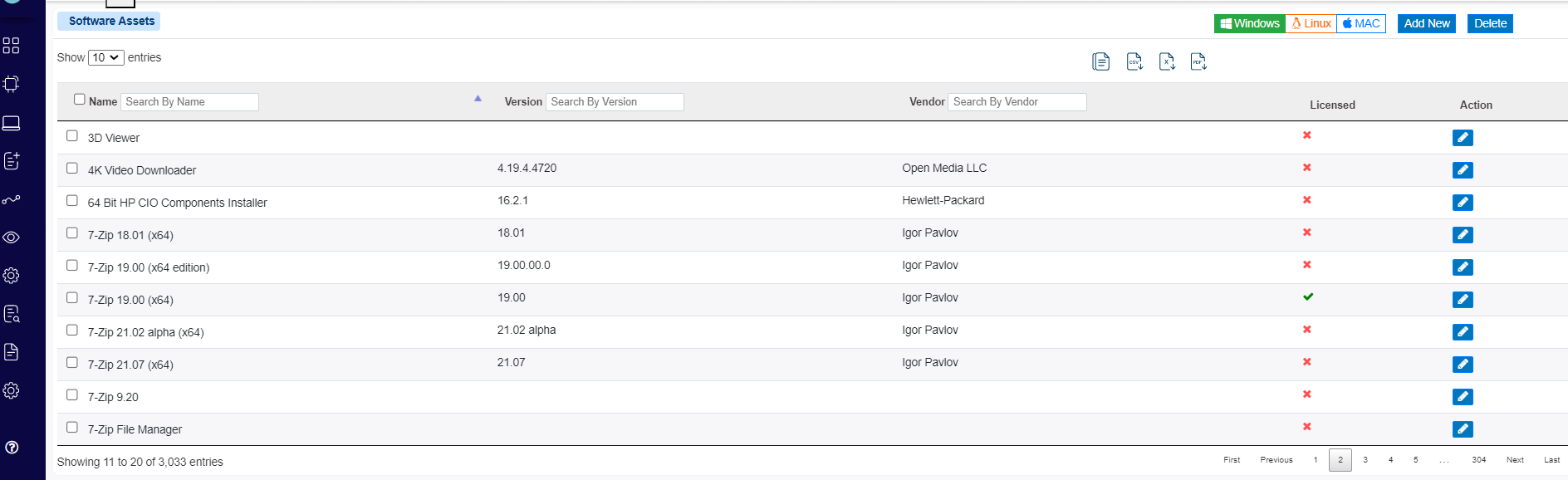
- Manage the software lifecycle from purchase and deployment through ongoing utilization to disposal.
- Discover installed software attributes, including name, version, publisher and installation date.
- Manage software inventory and support compliance.
- Track underlicensed, overlicensed and noncompliant software. Identify unauthorized software and help bring the environment into compliance.
- Allocate software to computers according to organizational policies and optimize its use.
- Track newly installed and uninstalled software.
- Receive notifications of installed and uninstalled software after network scans.
- Audit software more easily and reduce the time and cost involved in audits.
Software License Compliance
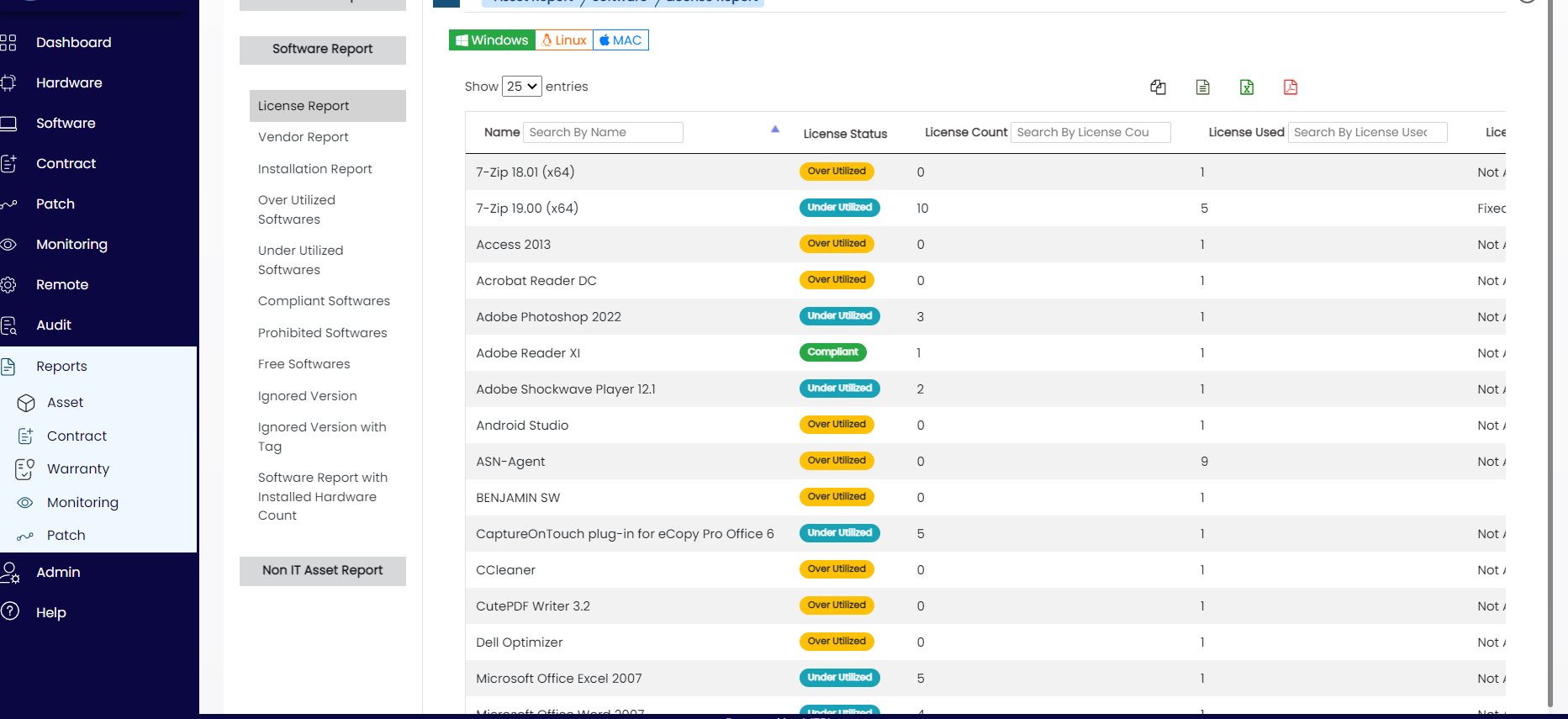
- Maintain a software license inventory and track license usage.
- Report on unused, underutilized and overutilized licenses.
- Optimize the use of purchased software licenses.
- Track license expiry dates and receive advance expiry notifications.
Software Security Compliance
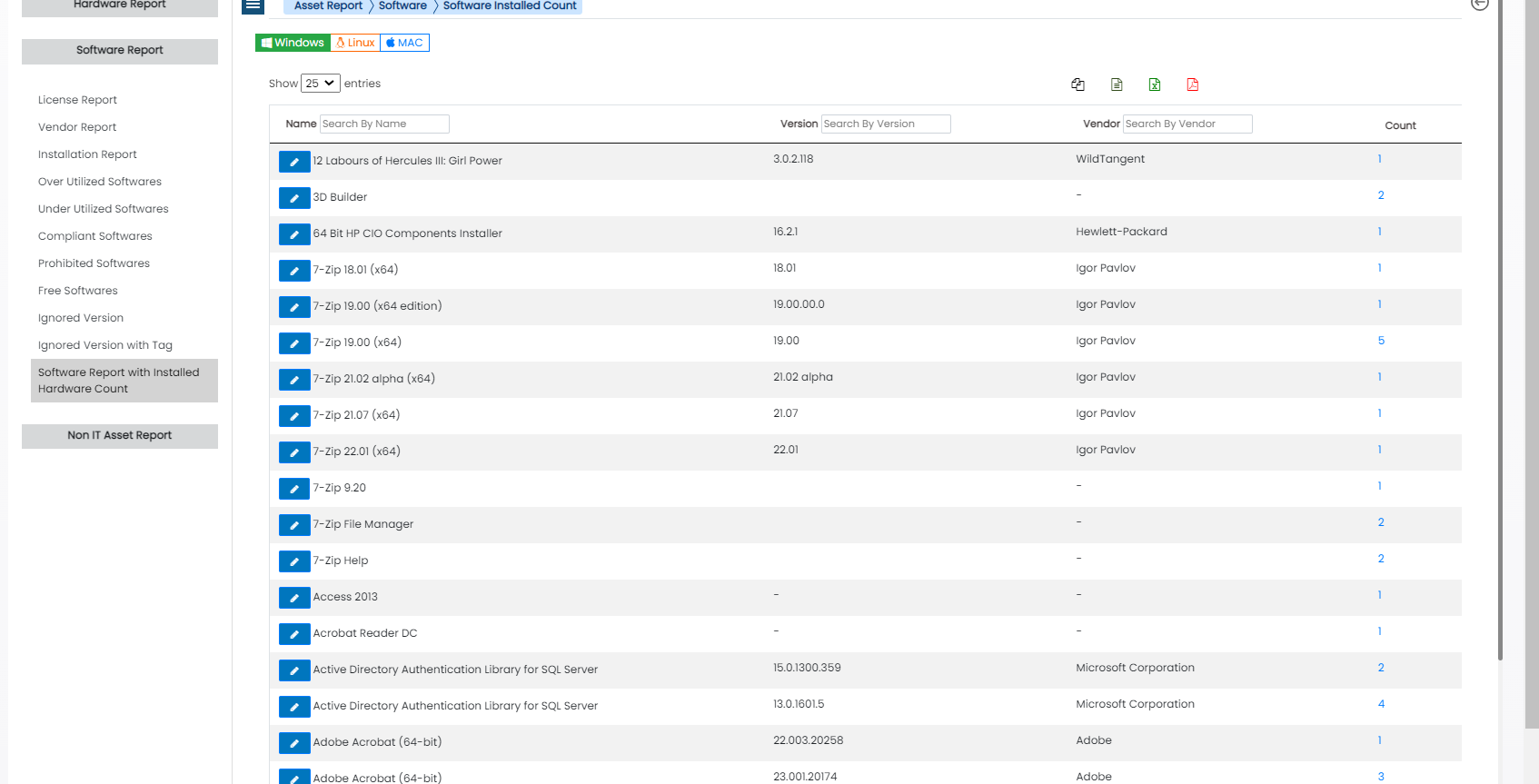
- Audit specific software across all assets or a selected set of assets.
- Audit specific Windows patches across all assets or a selected set of assets.
- Configure automated emails with audit reports for the intended audience when auditing completes.
- Generate real-time reports of newly installed and recently uninstalled software on network assets.
- Report on installed and uninstalled software for a selected set of assets using the latest scan results.
Configuration Management Database
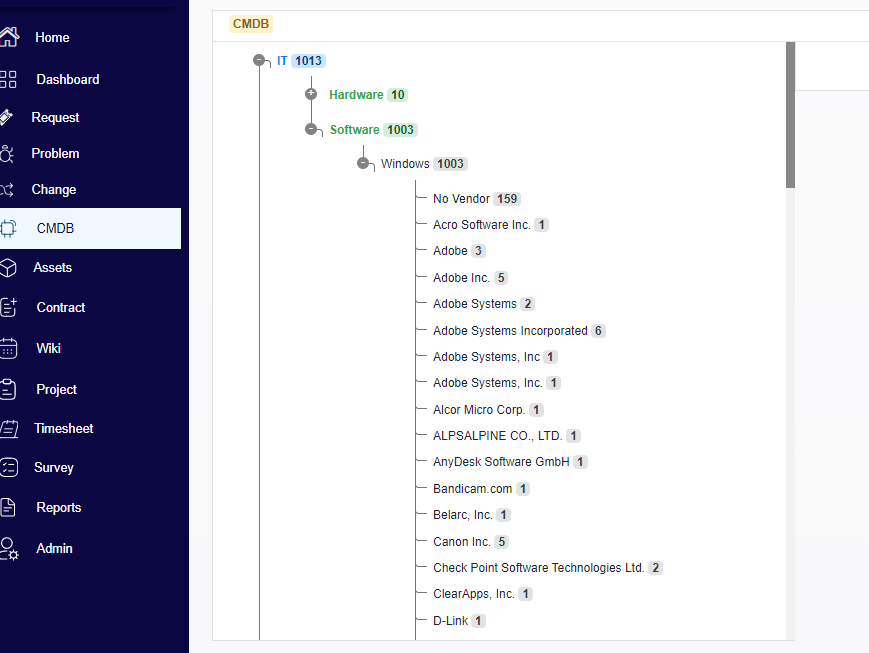
The Configuration Management Database (CMDB) holds information about the hardware and software components used to deliver IT services, together with their relationships. This information supports business intelligence, software and hardware builds, and impact analysis for incident and change management.
- Discover, record and maintain Configuration Items throughout their lifecycle.
- Link CIs to owners, locations, departments and helpdesk tickets.
- Map relationships and dependencies between CIs.
- Use network topology diagrams to understand CI relationships.
- Import from Active Directory or LDAP and integrate with LDAP.
- Track CIs in a centralized repository.
- Use relationship mapping to identify impact and root causes and take appropriate action.
- Add default attributes and relationships to CI records.
Your next chapter in
better operations.
Find the Bizopserve suite that fits your team.